


Blog
So laden Sie den Olit Hookalit 40000 Puffs auf: Stoppen Sie Frying auf Ihrem Vape


As a hardware engineer, the most frustrating customer complaint I read on global vape wholesale platforms goes like this: “The Olit Hookalit 40000 is a scam. I plugged it in once, and now it will not hold a charge.” When I dissect these returned units, the reality is always the same: the factory hardware is flawless, but the user plugged a 65W laptop fast charger into a low-amperage disposable vape, instantly frying the internal protection board.
If you want a device to genuinely survive 40,000 puffs, mastering the exact charging protocol is non-negotiable. Poor charging habits destroy the lithium-ion cell and overheat the mesh coil, ruining the e-liquid long before the tank empties. Here is the definitive, technical guide to charging your Olit Hookalit properly.
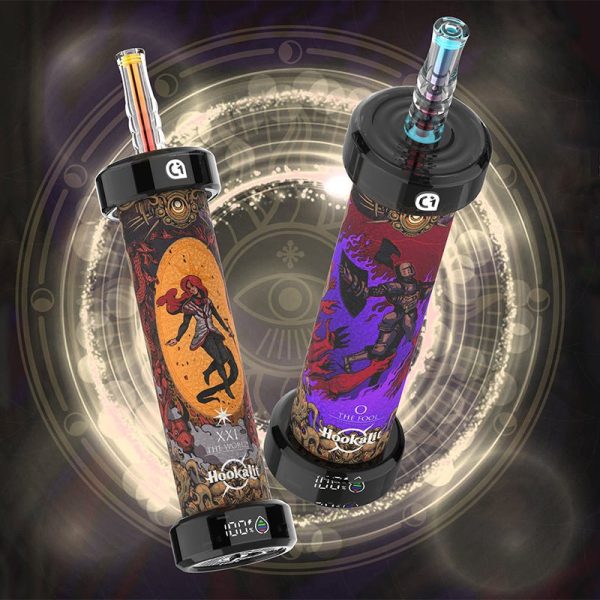
Can You Charge the Olit Hookalit 40000?
Absolutely. You physically cannot store enough battery power to drain a massive e-liquid reservoir yielding 40,000 puffs without a recharge mechanism. Unlike obsolete hardware that died halfway through its liquid supply, the Olit Hookalit features a Heavy-Duty Rechargeable Cell. This specific battery chemistry handles multiple charge cycles without dropping its maximum voltage output, ensuring the high-efficiency mesh coil hits just as hard on day thirty as it did on day one.
What Charger Does the Olit Hookalit Use?
The entire Olit vape lineup utilizes the standardized Type-C port for rapid battery replenishment. However, the cable is only half the equation. You must connect that Type-C cable to a standard 5V/1A or 5V/2A power brick (like an older iPhone or basic Android wall adapter).
Do not use rapid laptop chargers. Pushing 65 Watts into a small disposable vape forces the internal circuitry into thermal overdrive, destroying the battery capacity instantly.
Step-by-Step Charging Protocol
Follow these exact steps to protect the internal circuitry:
- Inspect the Port: Look at the bottom of the contoured chassis. Before plugging anything in, ensure the Type-C port is entirely free of pocket lint. Debris causes electrical shorts.
- Connect to Low Power: Plug the Type-C cable into the device, then into your 5V/1A adapter or a standard computer USB port.
- Monitor the Cycle: The LED indicator will activate, signaling the charge has begun.
- Unplug Promptly: Charging takes roughly 45 to 60 minutes. Once the indicator light switches off or turns solid, disconnect the device immediately. Never leave it charging overnight.
Troubleshooting FAQ: Why is My Vape Not Charging?
Is it leaking?
Cheaper brands often fail to charge because e-liquid leaks through the base and floods the USB port. The Olit Hookalit practically eliminates this risk. It utilizes multi-layered silicone sealing, meaning the internal circuitry remains completely isolated from the e-liquid, even during severe pressure changes in transit.
Can I hit my Olit Hookalit while it charges?
No. Pass-through charging (vaping while plugged in) generates immense cumulative heat. The battery heats up from receiving a charge, and the mesh coil heats up to vaporize liquid. This double thermal load scorches the cotton wick permanently. You will ruin the precision adjustable airflow experience and taste burnt sugar for the remaining 30,000 puffs.
Why is the light blinking rapidly when plugged in?
A slow pulse indicates a normal charge cycle. If the LED flashes rapidly and aggressively the second you plug it in, the internal protection board detected a short circuit—usually caused by a damaged cable or a high-wattage adapter attempting to force too much amperage into the cell. Swap your cable and wall adapter immediately.
